
1 / 4
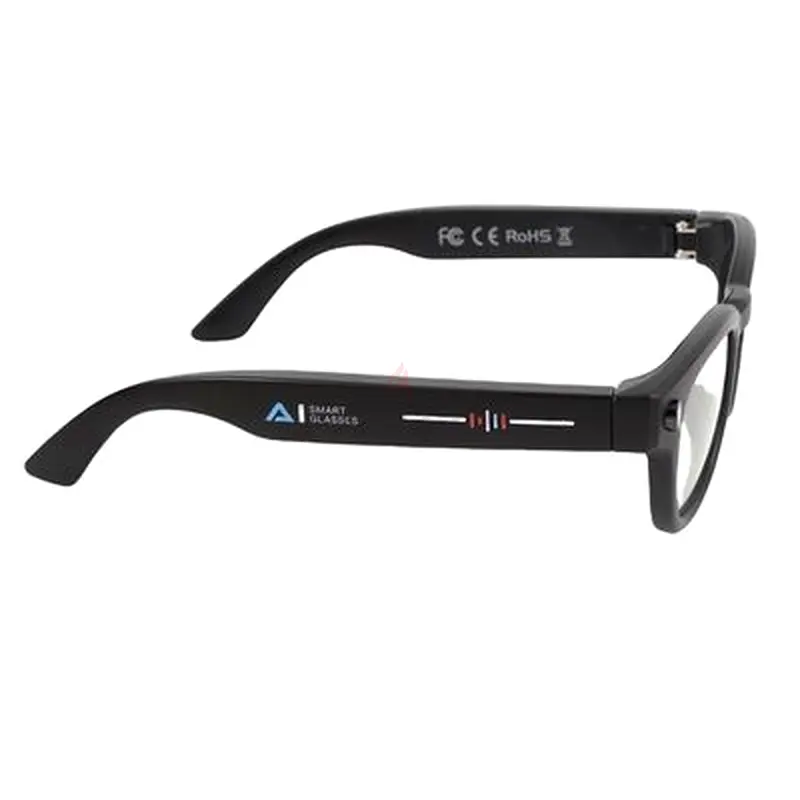
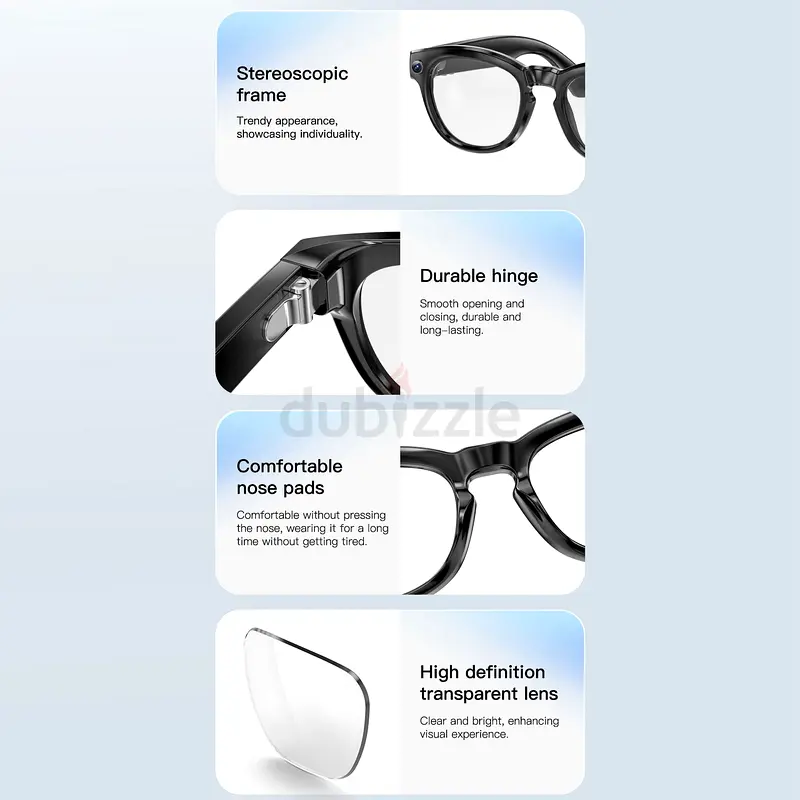
AI Smart Glasses, LED Flash Smart Translation Glasses HD Video Photo Taking for Travel
AED 499

Item Details
Brand
Others
Age
Brand New
Condition
Perfect inside and out
Model
Others
Usage
Still in original packaging
Warranty
Does not apply
Posted on: 21st April 2026
Description
Item Type: Smart Translation Glasses
Material: PC, ABS
Weight: Approx. 171.00g / 6.03oz
Product Size: Approx. 154x150mm / 6.06x5.91in
Picture Quality: 1080 x 720, 30 frames
Lens Width: Approx. 50mm / 1.97in
Lens Height: Approx. 40mm / 1.57in
Bridge Width: Approx. 21mm / 0.83in
2MP Video Recording: Supported
2MP Photo Taking: Supported
LED Light for Photo Taking: Supported
Music : Supported
Music Play/Pause: Supported
Volume Control: Supported
Answer Call: Supported
Hang Up Call: Supported
Incoming Call Voice Notification: Not Supported
Call Back: Not Supported
Language: English
Reset to Factory Settings: Supported
Indicator Light: Supported, Through APP
Power On/Off Sound Reminder: Supported
Step Counting: Supported
Calories Tracking: Supported
Wear Detection: Supported
Swiping: Supported
Main Functions: Play Music, Wireless Calling, Voice Helper, Step Counting, Distance Tracking, Lighting Function, Photo Taking, Video Recording
Tip: If you are using for HarmonyOS system cell phone, the volume of wireless device is synchronized with your cell phone, you can follow the steps below: open the cell phone "Settings", click "Wireless"; in the list of paired devices, click the Settings on the right side of the wireless device; turn on "Synchronize Volume of Wireless Device with Mobile Phone" and you can do it.
AI Translation Language Support: Chinese, English, German, Spanish, French, Italian, Japanese, Korean, Portuguese, Russian, Swedish
Speaker: HiFi
Battery: 481048 Li Ion Battery 260mAh Shipped with Built in Battery
Battery Life: 10 Hours or More
Wireless Connection: 5.4
Microphone: Voice Noise Reduction
Charging Time: 90 Minutes
Voice Helper: Integrated with for ChatGPT
Memory: 4GB
System Compatibility: for 9.0 and Above, for iOS 10.0 and Above
I. View The Pictures and Videos of The Glasses:
When The Connection Between The Glasses and The Cell Phone APP Is Completed, You Can View The Pictures and Videos Taken By The Glasses According to The Following Steps: Firstly, Turn On The Cell Phone Hotspot; Then Use The Glasses to Take Pictures; Then Connect to The Cell Phone Hotspot in The APP; Finally, You Can View The Pictures and Videos Taken in The APP.
II. Install the APP: for Rayin View
1. Scan The QR Code On Your Cell Phone to Download and Install The APP. Supported Systems: for IOS 10.0, for 9.0 and Above.
2. Login to Your Account in The APP and Choose to Connect The Bound Glasses. Please Make Sure The Wireless of Your Cell Phone Is On, and Keep The Glasses Close to Your Cell Phone During The Connection.
Ⅲ. Charging Instructions:
After The Glasses Are Connected to The Charging Cable, Connect The USB End to The Standard , It Will Take Only 90 Minutes to Be Fully Charged. During The Charging Process, The Red LED Will Flash. When The Color of The LED Changes From Red to Blue, The Device Is Fully Charged. During Charging, The Device Will Remain On.
Package List:
1 x Translation Glasses
1 x Cleaning Cloth
1 x Charging Cable
1 x User Manual
Material: PC, ABS
Weight: Approx. 171.00g / 6.03oz
Product Size: Approx. 154x150mm / 6.06x5.91in
Picture Quality: 1080 x 720, 30 frames
Lens Width: Approx. 50mm / 1.97in
Lens Height: Approx. 40mm / 1.57in
Bridge Width: Approx. 21mm / 0.83in
2MP Video Recording: Supported
2MP Photo Taking: Supported
LED Light for Photo Taking: Supported
Music : Supported
Music Play/Pause: Supported
Volume Control: Supported
Answer Call: Supported
Hang Up Call: Supported
Incoming Call Voice Notification: Not Supported
Call Back: Not Supported
Language: English
Reset to Factory Settings: Supported
Indicator Light: Supported, Through APP
Power On/Off Sound Reminder: Supported
Step Counting: Supported
Calories Tracking: Supported
Wear Detection: Supported
Swiping: Supported
Main Functions: Play Music, Wireless Calling, Voice Helper, Step Counting, Distance Tracking, Lighting Function, Photo Taking, Video Recording
Tip: If you are using for HarmonyOS system cell phone, the volume of wireless device is synchronized with your cell phone, you can follow the steps below: open the cell phone "Settings", click "Wireless"; in the list of paired devices, click the Settings on the right side of the wireless device; turn on "Synchronize Volume of Wireless Device with Mobile Phone" and you can do it.
AI Translation Language Support: Chinese, English, German, Spanish, French, Italian, Japanese, Korean, Portuguese, Russian, Swedish
Speaker: HiFi
Battery: 481048 Li Ion Battery 260mAh Shipped with Built in Battery
Battery Life: 10 Hours or More
Wireless Connection: 5.4
Microphone: Voice Noise Reduction
Charging Time: 90 Minutes
Voice Helper: Integrated with for ChatGPT
Memory: 4GB
System Compatibility: for 9.0 and Above, for iOS 10.0 and Above
I. View The Pictures and Videos of The Glasses:
When The Connection Between The Glasses and The Cell Phone APP Is Completed, You Can View The Pictures and Videos Taken By The Glasses According to The Following Steps: Firstly, Turn On The Cell Phone Hotspot; Then Use The Glasses to Take Pictures; Then Connect to The Cell Phone Hotspot in The APP; Finally, You Can View The Pictures and Videos Taken in The APP.
II. Install the APP: for Rayin View
1. Scan The QR Code On Your Cell Phone to Download and Install The APP. Supported Systems: for IOS 10.0, for 9.0 and Above.
2. Login to Your Account in The APP and Choose to Connect The Bound Glasses. Please Make Sure The Wireless of Your Cell Phone Is On, and Keep The Glasses Close to Your Cell Phone During The Connection.
Ⅲ. Charging Instructions:
After The Glasses Are Connected to The Charging Cable, Connect The USB End to The Standard , It Will Take Only 90 Minutes to Be Fully Charged. During The Charging Process, The Red LED Will Flash. When The Color of The LED Changes From Red to Blue, The Device Is Fully Charged. During Charging, The Device Will Remain On.
Package List:
1 x Translation Glasses
1 x Cleaning Cloth
1 x Charging Cable
1 x User Manual
Location
Al Taawun, Sharjah, UAE

- Accounting / Finance
- Automobile
- Beauty / Salon
- Cleaner / Housekeeper
- Construction
- Cook / Chef
- Customer Service / Call Centre
- Data Management & Analysis
- Design
- Driver / Delivery
- Education
- Engineering
- Event Management & Operations
- Handyman / Technician
- HR / Admin
- Information Technology
- Legal Services
- Logistics & Distribution
- Manufacturing / Warehouse
- Marine Captain / Crew
- Marketing / Advertising
- Media, Art & Entertainment
- Medical / Healthcare
- Real Estate
- Restaurant Operations
- Sales / Business Development
- Secretarial / Front Office
- Security / Guard
- Sports & Fitness
- Travel & Hospitality
- Others
- Jobs Wanted
- Electronics
- Computers & Networking
- Business & Industrial
- Home Appliances
- Sports Equipment
- Clothing & Accessories
- Cameras & Imaging
- Jewelry & Watches
- Pets
- Musical Instruments
- Gaming
- Baby Items
- Toys
- Tickets & Vouchers
- Collectibles
- Books
- Music
- Free Stuff
- Lost/Found
- DVDs & Movies
- Furniture, Home & Garden
- Mobile Phones & Tablets
العربية