
1 / 4
MiniNova Synthesizer
درهم 1,100

تفاصيل السلعة
العمر
1 - 2 سنوات
الحالة
بدون مشاكل أو عيوب ملحوظة
العلامة تجارية
أخرى
مدى الإستخدام
تم الاستخدام باعتدال
تم النشر بتاريخ: 18 أغسطس 2026
الوصف
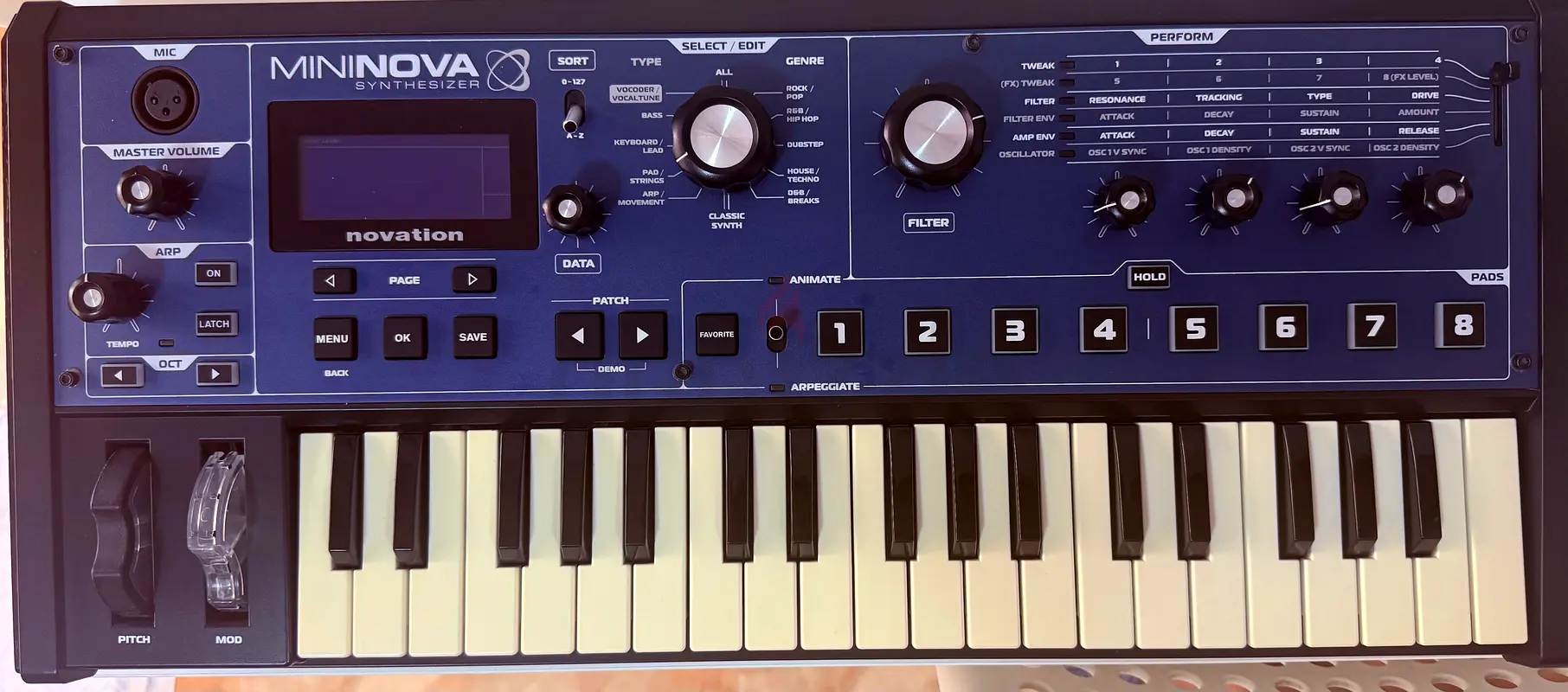
specifically designed for use in live performance. These allow you to modify the sound of the loaded patch in a variety of interesting and sometimes startling ways!
These controls are found in the PERFORM, PADS and ARP areas of the control panel.
While playing live, it is often desirable to manually adjust some aspect or other of the sound – i.e., “tweak” a particular parameter. Although the MiniNova’s design allows you to access all the parameters defining a particular sound, it is useful if the most important parameters you need while playing live are readily available, on a convenient set of controls. These are the four rotary controls to the right of the control panel,
Use these four knobs in conjunction with the Perform Row Selector switch [13]. An LED will illuminate to show you which of the six banks of available parameters the knobs are assigned to. Note that Rows 3 to 6 always control the same parameters, regardless of the patch you have loaded – though the actual effect of the control will quite likely sound different! Rows 1 and 2 place the four knobs into “Tweak” mode, where the parameters they control vary with the patch (see below).
mininova_small.jpg
Don’t worry too much at this stage what words like “Resonance” and “Sustain” mean – all these (and many other) terms are explained in much greater detail further on in the manual. Just try to become familiar with the actual sonic effect you hear when you adjust each of the parameters in turn, for different categories of patch.
These controls are found in the PERFORM, PADS and ARP areas of the control panel.
While playing live, it is often desirable to manually adjust some aspect or other of the sound – i.e., “tweak” a particular parameter. Although the MiniNova’s design allows you to access all the parameters defining a particular sound, it is useful if the most important parameters you need while playing live are readily available, on a convenient set of controls. These are the four rotary controls to the right of the control panel,
Use these four knobs in conjunction with the Perform Row Selector switch [13]. An LED will illuminate to show you which of the six banks of available parameters the knobs are assigned to. Note that Rows 3 to 6 always control the same parameters, regardless of the patch you have loaded – though the actual effect of the control will quite likely sound different! Rows 1 and 2 place the four knobs into “Tweak” mode, where the parameters they control vary with the patch (see below).
mininova_small.jpg
Don’t worry too much at this stage what words like “Resonance” and “Sustain” mean – all these (and many other) terms are explained in much greater detail further on in the manual. Just try to become familiar with the actual sonic effect you hear when you adjust each of the parameters in turn, for different categories of patch.
منطقة
الزاهية, أبو ظبي, الإمارات

- المحاسبة / المالية
- السيارات
- الصحة والجمال
- التنظيف /التدبير المنزلي
- الإنشاءات
- شيف / طباخ
- خدمة العملاء / مركز الإتصال
- إدارة وتحليل البيانات
- التصميم
- سائق / توصيل
- تعليم
- هندسة
- إدارة الفعاليات والمناسبات
- عامل / فنّي
- الموارد البشرية - الإدارة
- تكنولوجيا المعلومات
- خدمات قانونية
- خدمات لوجستية و توزيع
- التصنيع / التخزين
- كابتن بحري / بحار
- التسويق/الإعلان
- الاعلام,الفنون والترفيه
- الطب / الرعاية الصحية
- عقارات
- تشغيل المطاعم
- المبيعات / تطوير الأعمال
- السكرتارية / المكتب الأمامي
- الأمن /الحماية
- رياضة و لياقة
- السفروالضيافة
- أخرى
- يبحث عن عمل
English